
When you leave a workplace and start freelancing from home, the advice you hear first is to buy a better system. A cleaner task manager. A time tracker. A habit app with gentle streaks. A calendar colour-coded by energy.
If you are autistic and ADHD, as I am, most of those systems work for about ten to fourteen days. While the setup is fresh, novelty carries the morning. By week three, the streak turns red, the backlog stretches past forty overdue lines, and the app stops feeling like help. It feels like another room full of unfinished demands waiting to reproach you before you have even made coffee.
Over the last year I stopped looking for a general productivity app and built six small single-job tools around the exact places my own week kept snagging: blind spots around tiredness, frozen task lists, competing thoughts, pushback against daily fitness prompts, uneven freelance cash, and self-paced technical upskilling. Each tool genuinely removed friction. Together they probably made my working week twenty to thirty per cent steadier. Yet at half past eight on a quiet Tuesday morning at home, none of them could supply what an office door and a desk beside other working people supply without asking.

Spoon Protocol Ledger: checking the tank before promising a day
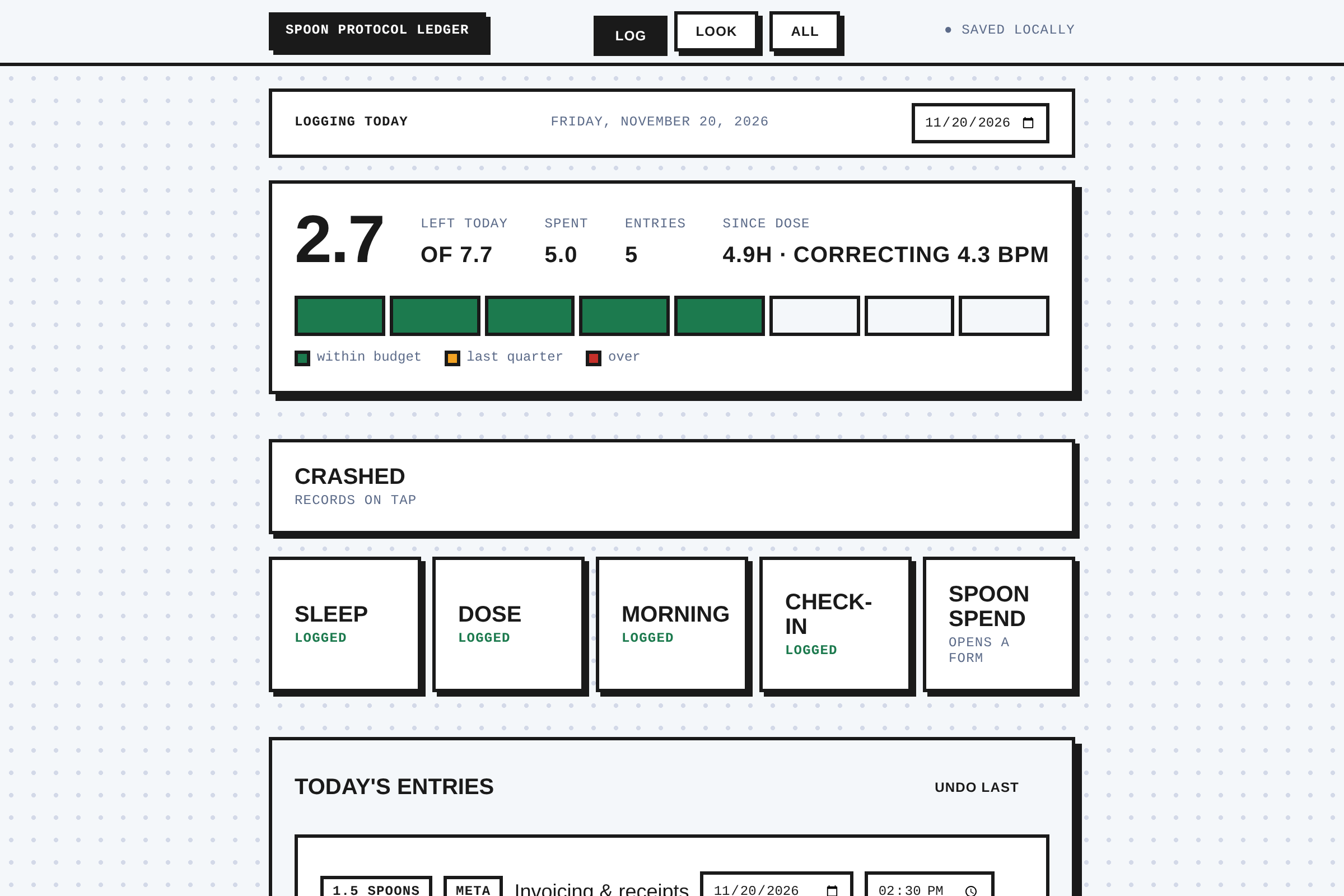
One quiet trap in AuDHD work is weak real-time reading of internal body signals — poor interoception mixed with hyperfocus. On a good morning you feel sharp enough to promise a full client sprint, an afternoon call, and admin on top. The debt only arrives forty-eight hours later, when poor sleep, a climbing resting heart rate, and accumulated dose strain suddenly shut the whole day down.
I built Spoon Protocol Ledger to put a two-minute check between waking up and saying yes to new work. You log sleep, morning state, medication timing, and rough energy units spent across the day. Green blocks mark where you sit inside budget, amber warns you are in your last quarter, and a simple counter tracks hours since your dose alongside heart-rate drift so a deceptive burst of focus does not trick you into overspending Friday.

Where it stops: knowing cleanly at nine o’clock that you have five steady hours in the tank stops you from overpromising your week. It still cannot make your hands open the blank document waiting on your desk.

Five Days: shrinking a forty-item backlog down to hands
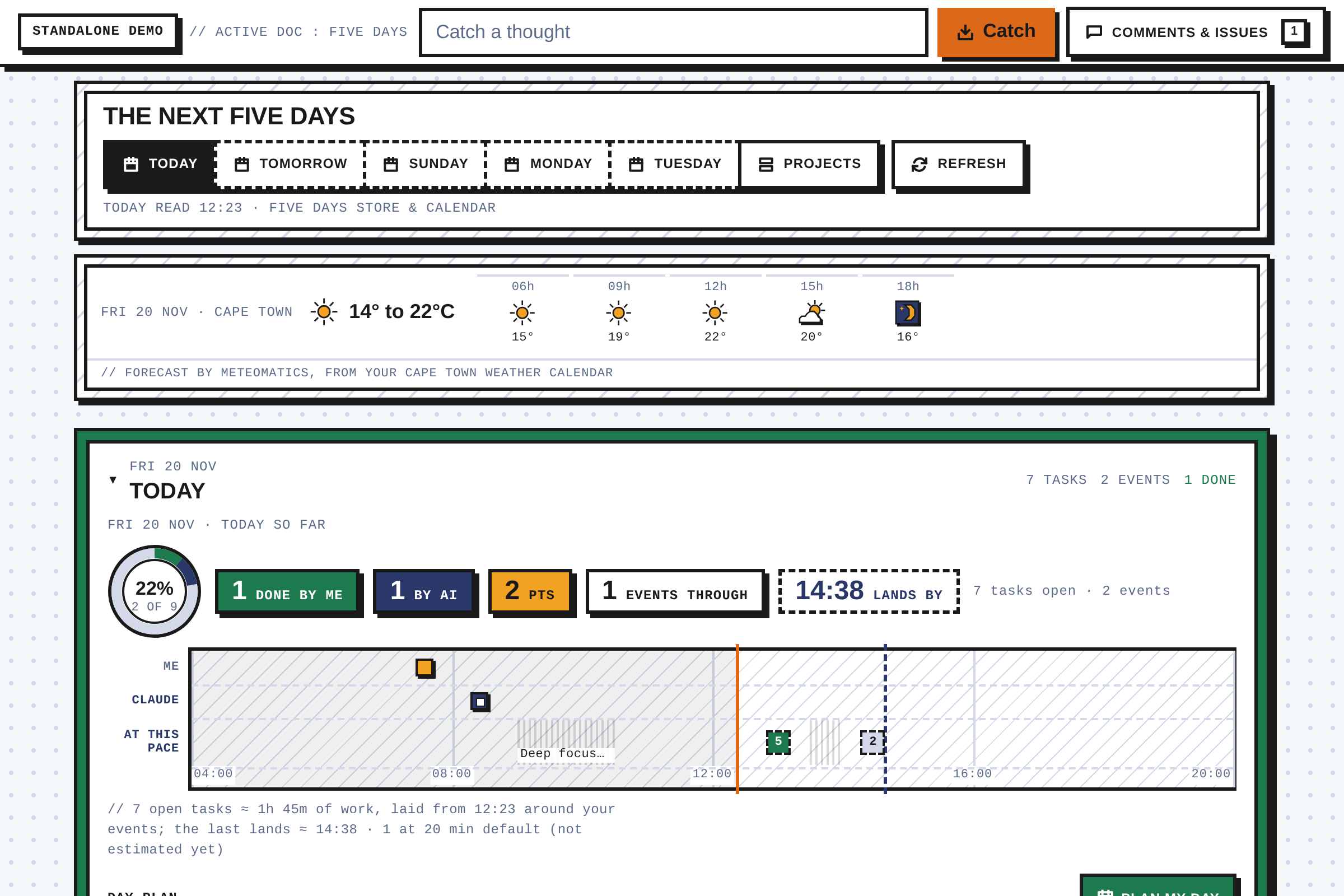
Long task lists freeze executive function before you touch the keyboard. When forty undated lines sit in one column, “Fix invoice format” looks visually identical to “Rebuild entire website”, and vague verbs force you to decide how to start every single item from scratch.
Five Days throws out everything beyond the next five days: Today, Tomorrow, and the three days after it. A single catch bar at the top lets stray thoughts drop straight out of working memory without opening another menu. Instead of abstract categories, cards are grouped by the physical action your hands actually need to take — Say yes, Send a message, Pick one, Pay or move money, Write a thing, Sit at a screen, or Get up and do it — beside a plain timeline showing when today’s queue actually lands.

Where it stops: a neat horizon tab only helps once you open the browser. When nobody else is waiting for you to arrive at 08:30, tidying cards can quietly replace starting the work.

Goal Rings: putting competing priorities in space instead of a shouting list
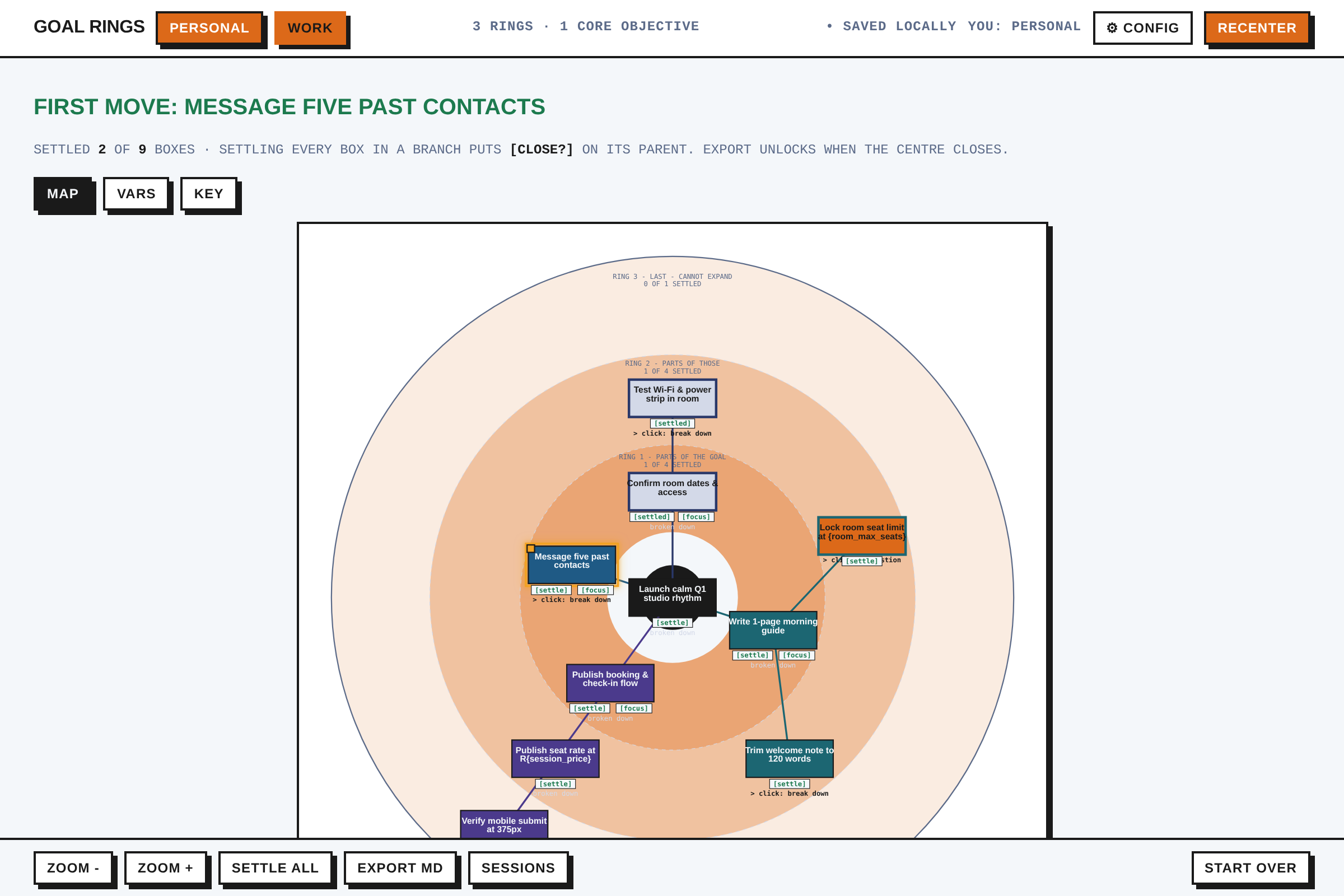
A vertical bullet list lies about priority. Everything in a flat column shouts at the same volume, so a quarterly launch aim, a two-minute phone message, and a technical tweak all wrestle for attention in the same scroll.
Goal Rings swaps the vertical list for three concentric rings in two-dimensional space. One central objective sits in the core, surrounded by the parts that feed it in Ring 1, the concrete moves behind those in Ring 2, and outer details in Ring 3. You cannot close a parent box until its connected children are settled, and one short line at the top simply names the next clear move.

Where it stops: twenty minutes of genuine calm and perspective on a Sunday evening still walks straight into the same silent living room on Tuesday morning.

Muscle Look-up: movement without demand refusal
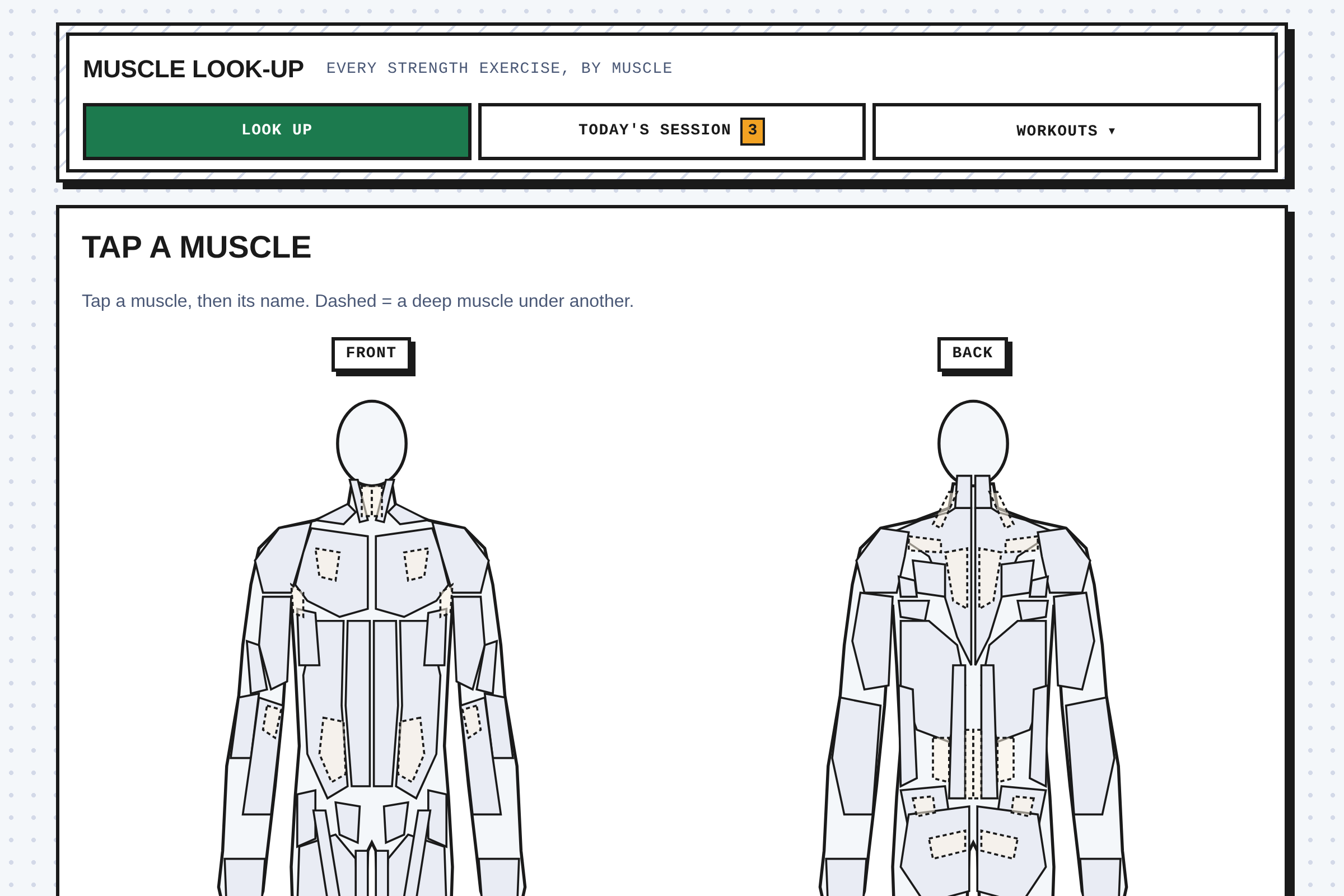
Almost every commercial fitness app is built around streak counters, daily reminders, and red badges when you miss a Tuesday. For anyone wired with strong autonomy needs or demand avoidance (often called PDA), turning exercise into a stream of nagging orders produces instant pushback — the app closes itself by week two out of sheer refusal to be bossed around by a screen.
Muscle Look-up does the opposite. There are no streaks, no push notifications, and no prescriptive “today’s workout” screen telling you what you failed to do yesterday. It is a quiet anatomical manual: once you are already standing in the gym, you tap a muscle on the front or back diagram, browse movements that fit the gear beside you, and leave when you are done.

Where it stops: removing bossy reminders stops the app from irritating you once you arrive, yet no reference manual on a phone can physically walk you through the gym door.
View muscle-lookup on GitHub →

The Randlord: handling irregular freelance income without mental arithmetic
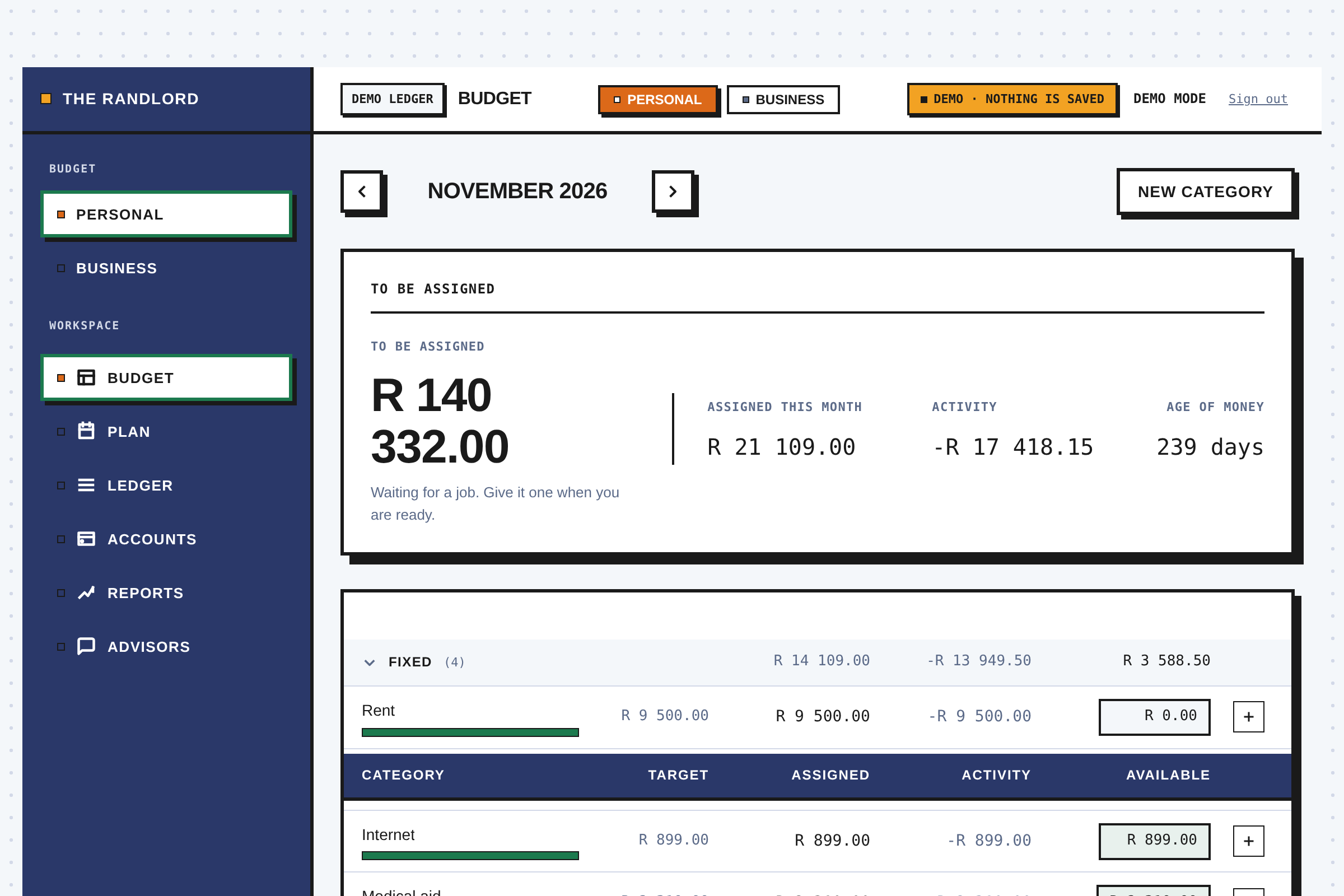
When you bill clients unevenly, one combined bank balance is a liar. A lump payment lands on the tenth and looks comfortable until you remember rent, provisional tax, medical aid, and slow January invoices all sit inside the same pool of rands.
The Randlord strips budgeting down to honest Personal and Business envelopes in South African rands, with zero mental arithmetic required while looking at a bill. Every incoming rand is given a concrete category before it gets spent, showing plainly what is actually free today versus already spoken for.

Where it stops: a calm, honest envelope table keeps this month’s rent safe, yet it never writes or sends the client proposal that pays for next month.

The Quiet Stage: self-paced technical upskilling without a noisy dashboard
Most online course platforms are built like shopping centres: countdown timers, daily streak flames, unread badges, and nagging emails the week your focus slips. When I needed to sit down and teach myself new technical workflows from home, opening a noisy portal drained energy before I had read a single paragraph.
I built The Quiet Stage as a calm private stage for my own self-paced technical upskilling. Every topic runs through a five-step lesson stage inside a narrow 65ch reading column: concept, walkthrough, scenario check, guided practice, and a five-item observable yes-or-no checklist with zero streaks, timers, or nag emails. A Steady / Low Energy toggle drops screen clutter on harder days, an inline workbench holds my working notes beside the step, and a Park & Close button saves the exact step when a session needs to stop cleanly.

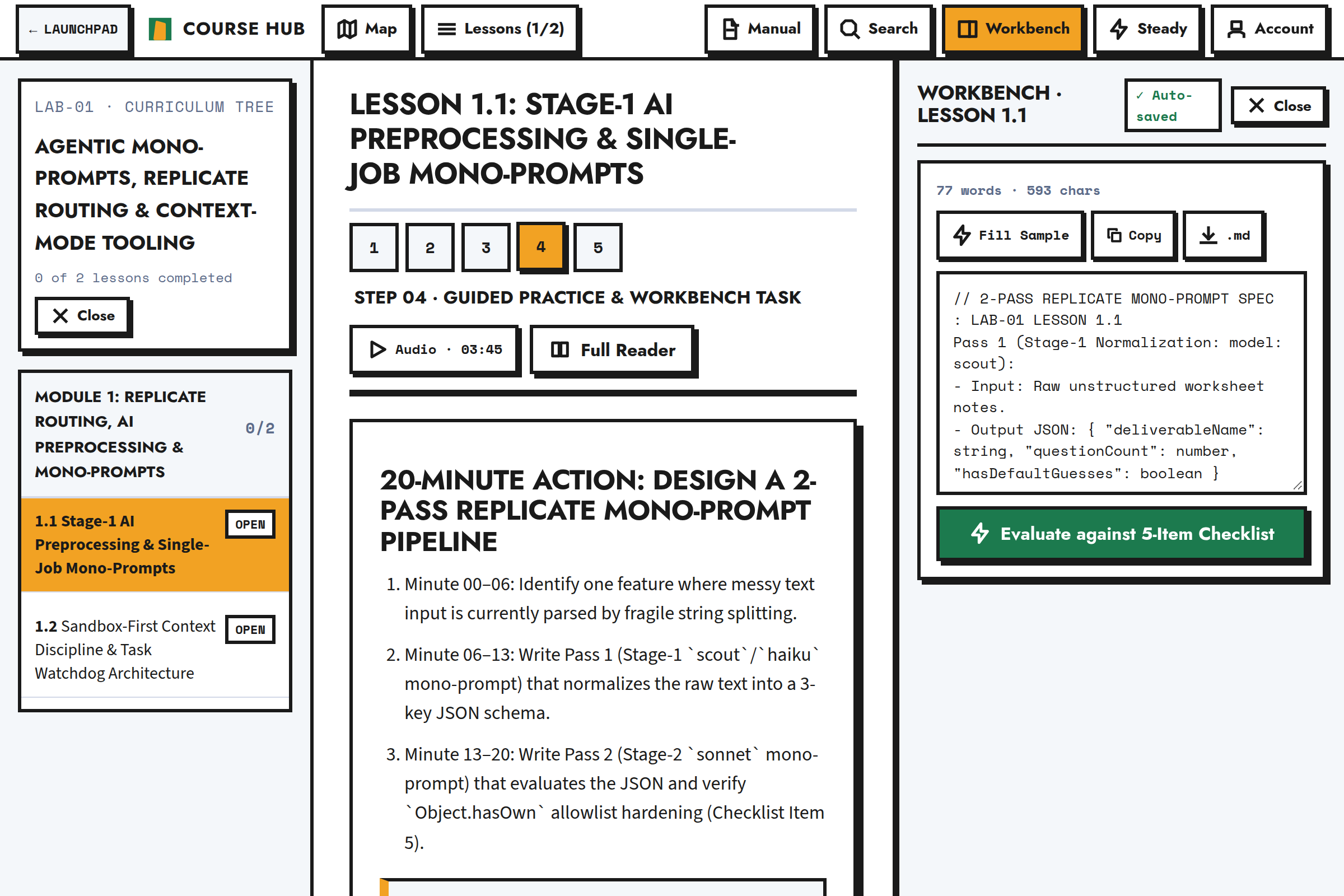
Where it stops: stripping out timers and noisy portals stops the interface from picking a fight with your attention once you open a lesson. It still cannot walk into your room at half past eight and open the laptop for you.
Private tool — not open-sourced in audhd-tools
Why all six still led to Salt River
Looking at the six tools side by side made something harder to ignore. Every piece of software I built only worked inside the work once a morning had already started. Checking spoons helps you pace once you are awake. Five Days trims friction once the tab is open. Goal Rings clears fog once you sit down to plan. Muscle Look-up helps once you are standing near weights. The Randlord keeps rands honest once an invoice is paid. The Quiet Stage keeps upskilling calm once you open a lesson.
None of them could supply the moment before all six: leaving a quiet flat, opening a real front door at half past eight, putting your bag down beside five other working desks, and knowing someone else in the room will quietly notice if you disappear into an hour of tabs. That missing piece was never another clever feature. It was physical walls, a start time, and a door that closes at one o’clock. That is why I stopped trying to code my way out of working alone and rented Unit A202 at The Spice Yard in Salt River.
Alongside the six tools, I also wrote down the twelve working rules I had to learn the hard way — and where each one stops.